


Pool Tour - Pocket Billiards
4.611.10K Reviews
App Specs
- Version
- 2.0.1
- Updated On
- License
- Free
- Downloads
- 5,000,000+
- Developer
- Candy Mobile
- Categories
- Sports
- Platform
- Android, iOS
Screenshots
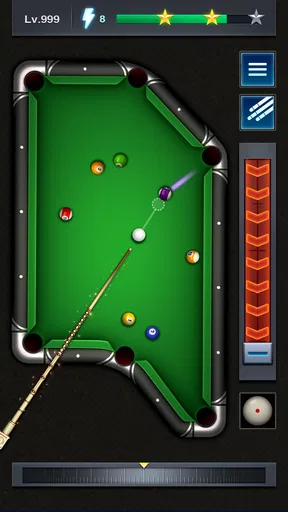
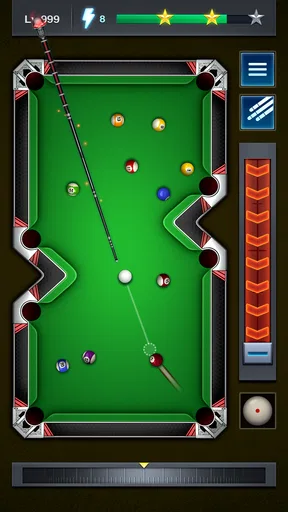

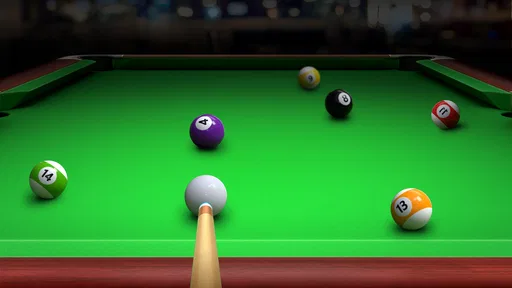
 Analysis by AppCompare
When I want a quick pool session without setting up a real table, Pool Tour - Pocket Billiards is an easy game to reach for. Its appeal is simple: it puts a cue-and-balls challenge on my phone, with enough ways to play that a short break can become a proper match. That convenience is its strongest point, though it is still a phone game, not a substitute for the feel and control of a physical table.
As a free sports game from Candy Mobile, it suits casual players who want to practise or compete in spare moments. It has a 4.7 average from around 116,000 ratings and more than five million installs, so it has clearly found an audience. I’d approach those numbers as a sign of broad appeal rather than proof that every part of the experience will suit every player: people who want precise real-world billiards simulation may prefer a more focused alternative.
A handy game for short sessions
The most useful way to think about Pool Tour is as an on-demand pool table. It works for the small gaps in a day: a few turns while waiting for a friend, a quick match during a break, or solo practice when there isn’t a table nearby. Because the game is built around familiar billiards play, I don’t have to learn a complicated premise before taking a shot. That makes it approachable even if I’m not a regular player.
There is a practical trade-off in playing pool on a touchscreen. A real cue gives direct physical feedback; a phone asks me to judge aim and force through a display and its controls. I find it more satisfying when I treat each turn as a small aiming puzzle rather than expect the same touch as playing in a hall. If a shot goes wrong, I try to work out whether my line or power was off before immediately changing everything. That habit makes practice more useful and less frustrating.
Getting Started with Pool Tour
First things first, downloading Pool Tour - Pocket Billiards is a breeze. Whether you’re team Android or iOS, you’ll find it on both platforms. Once installed, the app greets you with a sleek and straightforward interface, making you feel like you're walking into your favorite pool hall. The menu is intuitive, so you won’t waste time figuring out how to start your first game.
The game is free, rated Everyone, and its current version is 1.9.9. Its release date was April 13, 2020, and it supports Android 4.0 or later. That low Android requirement can make it accessible on older compatible devices, but a low minimum version alone doesn’t tell me how comfortably every phone will run it. If you’re installing on an older device, it’s sensible to leave enough storage and close other demanding apps before playing, especially if you notice sluggishness.
Gameplay Experience
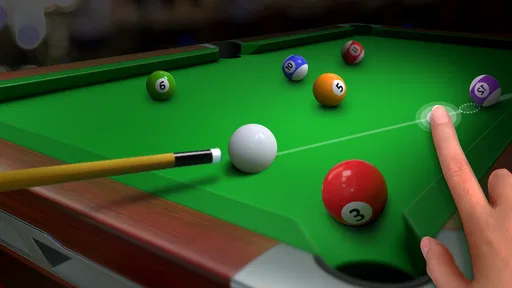
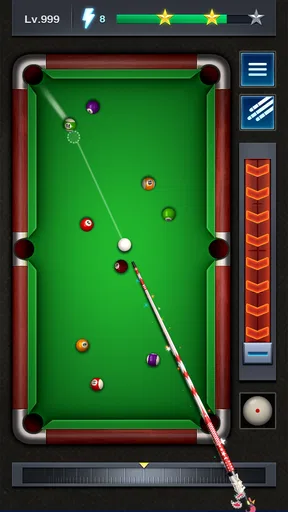
When it comes to gameplay, this app doesn't disappoint. The graphics are sharp, and the physics engine is on point, offering a realistic pool experience that’ll make you forget you’re playing on a screen. You can choose from various game modes, including 8-ball, 9-ball, and even a snooker option for those who like a challenge.
Worth Reading Before You Choose

Google Maps Gets You There, Until the Map and the Moment Disagree

Square Team Under Pressure: Can It Recover When Workflows Break?

Yandex Weather Makes Rain Forecasts Practical

McDonald’s App Builds Community Through Shared Routines, Not Social Feeds

Royal Kingdom Makes Match-Three Feel Like Progress

EA SPORTS FC Mobile 26 Is a Bigger Football Game, but It Takes Time
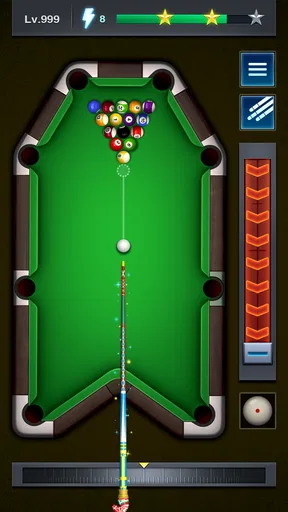
Those different table formats give a session a little direction: I can pick a familiar game when I want a straightforward match, or switch things up when I want to think about a different kind of shot. A useful way to practise is to focus on one decision at a time. In 8-ball, for example, I pay attention not only to pocketing a ball but also to where the cue ball is likely to stop. That keeps practice from becoming a string of rushed attempts and helps me build a better sense of positioning.
If you’re deciding between solo play and a match against another person, the choice depends on what you want from the session. Practice is the calmer option when I want to get used to aiming or take shots at my own pace. Multiplayer is better when I want the pressure of responding to an opponent. I wouldn’t treat a win or loss as a complete measure of skill, though; one match can turn on a single difficult position, and a quick rematch may be more enjoyable than dwelling on a mistake.
What I personally love: the multiplayer mode. You can challenge your friends or match up with random players worldwide. It’s a perfect way to kill time while also testing your skills against real opponents. And if you’re not in the mood for competition, the solo practice mode is there to help you refine your shots.
For a realistic everyday use, I’d open it while waiting for a meal or between appointments, play a short solo session, and leave a longer match for a moment when I can focus. That split matters: online competition is less convenient if I may have to put my phone away mid-game. When I’m likely to be interrupted, practice is the lower-pressure choice; when I have uninterrupted time, another player makes each shot feel more consequential.
What the extra features add
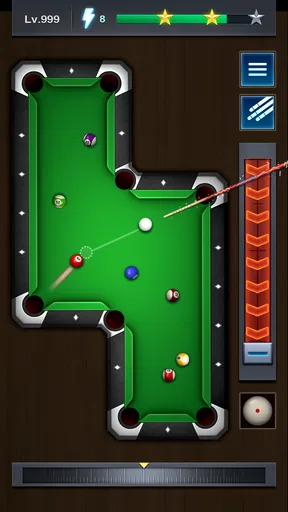
A few features truly make this app shine. The customization options, for one. You can tweak your cue and table designs to suit your style, adding a personal touch to your game. There’s also an engaging tournament mode, which lets you climb the ranks and earn rewards.
Customization is most valuable as a way to make the table feel like mine, not as a shortcut to better aim. I’d choose a cue or table look because I enjoy seeing it during play, then concentrate on the shot itself. Tournament play serves a different purpose: it gives a player who likes goals a reason to return beyond a single casual match. If I’m just looking for a quiet few minutes, I can ignore that longer-term chase and keep the session simple.
Another highlight is the app’s social aspect. The chat feature during multiplayer games keeps the interaction lively. Whether you’re taunting your opponent or complimenting a good shot, it makes the game feel a bit more personal and immersive.
That social layer won’t be everyone’s favorite part. I’d rather keep attention on the table when I’m trying to line up a difficult shot, and chat can be a distraction if I want a focused practice session. It’s best viewed as an optional bit of personality around a match, not a feature that makes the underlying pool play more accurate. For a quieter experience, solo play avoids the need to engage with an opponent while still giving me something to do.
Who will enjoy it, and who may want another option
I’d recommend this game to someone who already likes casual pool, wants quick access to several billiards formats, or would enjoy playing against friends and other people online. It also works for a curious beginner who wants a low-commitment way to learn the basic rhythm of aiming and choosing shots. The Everyone age rating makes it broadly accessible, though younger players may still need an adult’s usual guidance around online interaction.
On the other hand, I wouldn’t choose it as my main tool for serious billiards training. Touch controls and a screen cannot reproduce the stance, cue movement, table surface, or physical judgement involved in real play. If your goal is to improve for league or club games, use this as a casual supplement and spend time at an actual table when possible. If you mainly want an offline, solitary puzzle-like experience, a dedicated single-player billiards game may fit better than a social match-focused routine.
Compared with the usual alternatives, Pool Tour sits between a barebones pocket-pool app and a real-world game. A minimal pool title may be quicker to dip into but offer less variety or social play; a physical table gives far richer feedback but is not always available. Here, the attraction is having multiple ways to spend a few minutes without arranging a game in person. The compromise is that aiming through a touchscreen can feel less natural, and online matches bring a competitive element that some people simply won’t want.
Final Thoughts
Overall, Pool Tour - Pocket Billiards is a solid choice if you’re looking to scratch that pool itch on the go. It’s user-friendly, with realistic gameplay and plenty of features to keep you entertained. Whether you’re a casual player or a billiards enthusiast, this app has something to offer.
So, if you haven’t already, grab your cue (or, you know, your phone) and download it. You might just find yourself hooked on this pocket-sized pool adventure!
My recommendation comes with one clear condition: go in wanting a convenient mobile pool game, not a perfect digital copy of playing on felt. The mix of formats, solo practice, multiplayer, cosmetic choices, and tournaments gives it more to do than a single quick match, while the free price makes trying it an easy decision. If that balance sounds right, it’s worth a look; if physical realism or uninterrupted solo play matters most, another way to play pool may suit you better.
Pros
- Smooth and intuitive controls for precision shots.
- Variety of game modes to keep players engaged.
- Realistic physics enhances gameplay experience.
- Multiplayer mode for challenging friends.
- Visually appealing graphics and animations.
Cons
- In-app purchases can be quite expensive.
- Occasional ads interrupt gameplay flow.
- Limited customization options for cues.
- Needs a stable internet for multiplayer mode.
- Some levels feel repetitive over time.
FAQs for Pool Tour - Pocket Billiards
What are the main features of Pool Tour - Pocket Billiards?
Pool Tour - Pocket Billiards offers a highly realistic billiards experience with stunning 3D graphics and physics. Players can enjoy various game modes, including 8-ball, 9-ball, and snooker. The app also features an online multiplayer mode, allowing users to compete against friends or players worldwide. Additionally, it includes daily challenges and rewards to keep the gameplay exciting.
Is Pool Tour - Pocket Billiards free to play?
Yes, Pool Tour - Pocket Billiards is free to download and play. However, it contains in-app purchases that can enhance the gameplay experience. These purchases may include items such as cues, tables, or additional game features. It’s important to manage these purchases, especially if children have access to the device.
Do I need an internet connection to play Pool Tour - Pocket Billiards?
While Pool Tour - Pocket Billiards offers offline modes for solo play, an internet connection is required for multiplayer features and online leaderboards. Playing online allows you to compete with other players globally, participate in tournaments, and access daily challenges. Offline play is ideal for practicing your skills or playing casually without connectivity.
Are there any ads in Pool Tour - Pocket Billiards?
Yes, the app features advertisements, which help keep it free for users. These ads may appear between games or during certain transitions. For those who prefer an ad-free experience, the app may offer an option to remove ads through a one-time purchase or subscription. Checking the app settings will provide more details on ad management.
How can I improve my skills in Pool Tour - Pocket Billiards?
Improving your skills in Pool Tour - Pocket Billiards can be achieved by regularly practicing in different game modes. Utilize the training mode to refine your shots and learn advanced techniques. Engaging in online matches can also help you learn strategies from other players. Additionally, the game’s tutorials and tips can provide valuable insights into mastering the game.


